Recently, a real client situation made us stop and think. Suddenly, one of our clients lost touch with his IT provider. Meanwhile, his website, email and logins sat in someone else’s hands. Eventually, he had to rebuild parts of his business.
So this post is not meant to scare you. Instead, it raises one simple question for every owner. Today, ask yourself one straightforward question:
If your IT person vanished tomorrow, could you keep your business running smoothly?
Fortunately, you can prepare for exactly that. Below, we explain how to protect your business IT assets in plain English.
The IT assets every business owner should hold
First, let’s cover what you actually need to keep. Essentially, these are the keys to your online business. So make sure you hold the following, in your business name:
- Domain name — your registrar login, with your business listed as the registrant
- DNS — access to wherever your domain points (for example, Cloudflare)
- Web hosting — the login for the server that runs your website
- Website / CMS — your WordPress (or similar) admin account
- Business email — admin access to Microsoft 365 or Google Workspace
- SSL certificate — the details behind the padlock that secures your site
- MFA and recovery codes — backup codes for every critical login
- Key software and SaaS — accounting, CRM, payments and booking tools
- Social media — owner or admin access to your business pages
- Backups — where your website and data backups live, and how to restore them
Together, these accounts let you run, fix and move your business.
Why this matters more than people realise
Now, here is why holding these assets really matters. For example, imagine your provider simply stops replying one day. Suddenly, you cannot reset a password or change anything. Meanwhile, your website might break after a routine update. Alternatively, a plugin could fail or a page could go down. Worse, your site could be hacked or quietly defaced.
Without the logins, however, you cannot get in to fix it. Similarly, you cannot move to a new provider quickly. As a result, small problems turn into expensive emergencies. Ultimately, control of these accounts keeps your business moving.
How to stay protected (and where to keep everything)
Thankfully, protecting your assets is straightforward. Below, you will find practical steps that hold up in 2026.
1. Store everything in a business password manager
First, move every login into a business password manager. Specifically, choose an encrypted, business-grade vault, not a browser or notebook. Additionally, give each account a long, unique password. Then share access with staff through the vault, not by message.
2. Turn on MFA and passkeys
Next, switch on multi-factor authentication for every important account. Moreover, use passkeys or an authenticator app where possible. By contrast, avoid SMS codes, since attackers can intercept them. Crucially, secure your email, hosting, domain and admin logins first.
3. Keep an offline emergency copy
Importantly, never rely on a single copy of your access. Therefore, keep a sealed, offline backup of the critical details. For instance, print your recovery codes and master list, then store them securely. After that, lock that copy away, such as in a safe. That way, you stay in control even if a device fails.
4. Keep a simple IT asset register
Also, write down every domain, login, vendor and renewal date. In addition, note who can access each account. Meanwhile, update this list whenever something changes. Soon, this register becomes your single source of truth.
5. Back up your website and data properly
Similarly, your website and data need real, tested backups. Generally, follow the trusted 3-2-1 approach. So keep three copies, on two types of storage, with one offsite. Additionally, keep one copy offline or unchangeable, because ransomware hunts for backups too. Finally, test a restore occasionally, since untested backups often fail when needed.
6. Stay the owner, and review access
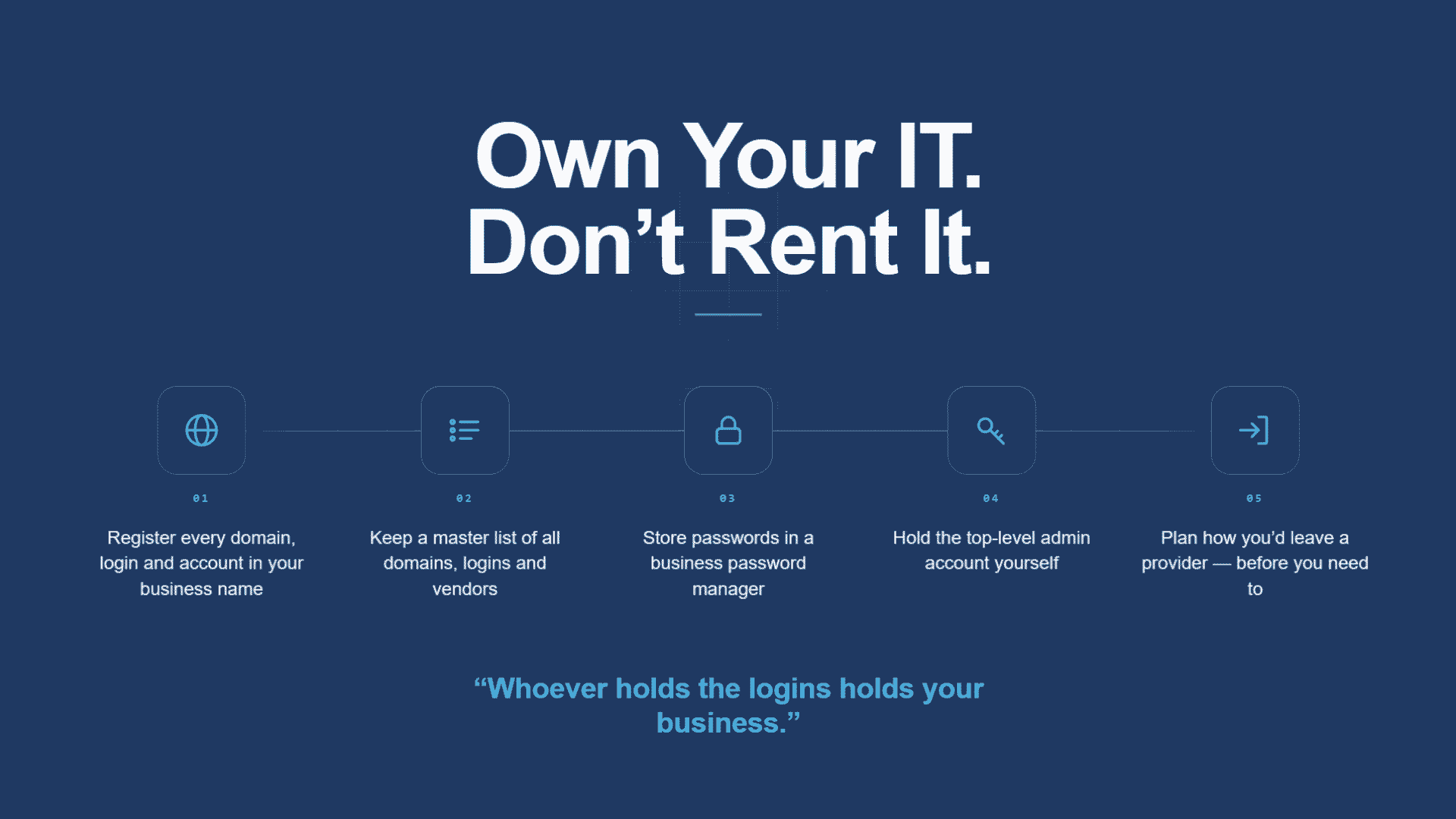
Above all, register domains and accounts under your business. Of course, your IT provider can still manage the day-to-day work. However, you should remain the owner and the top admin. Periodically, review who has access every few months. Then remove anyone who has left your business.
Your simple action plan
To start, pick a business password manager this week. Next, add your domain, hosting, email and website logins. Then turn on MFA for each of them. After that, print one secure offline emergency copy. Finally, book a check-up to find any gaps.
Own your IT, don’t rent it
Ultimately, your business should never depend on one person’s memory. Instead, hold your own keys and keep them safe. So even if your IT person vanished, you would carry on. Meanwhile, our team can help you map exactly what you own. To begin, book a free IT audit at netcomp.com.au. Proudly, we help businesses across Brisbane and the Gold Coast.