
Technically reviewed by Vitaly Ogulev, founder of Netcomp Solutions (Brisbane managed IT and cyber security since 2002).
In Australia’s fast-changing business world, technology undoubtedly plays a key role in driving success. For example, agile teams collaborate remotely, make decisions based on data, and deliver services innovatively. As a result, the right technology empowers employees, simplifies workflows, and boosts competitiveness. In fact, choosing a best business laptop is more than a technology decision. Instead, it is a strategic investment that impacts productivity, efficiency, and profitability.
Beyond that, a best business laptop goes beyond basic computing. Additionally, it acts as a secure and reliable mobile workstation and supports professional communication and collaboration. Moreover, it reflects a company’s image and values. Therefore, the laptop must integrate smoothly with existing IT systems. At the same time, it needs to meet the evolving demands of today’s workplaces while ensuring a secure platform for handling sensitive business data.
So, this guide aims to help Australian businesses choose the best laptop for their needs in 2025. Specifically, it will cover important considerations, highlight the latest trends, and offer practical advice. Ultimately, these insights will help businesses make informed decisions, boost productivity, improve security, and support growth.
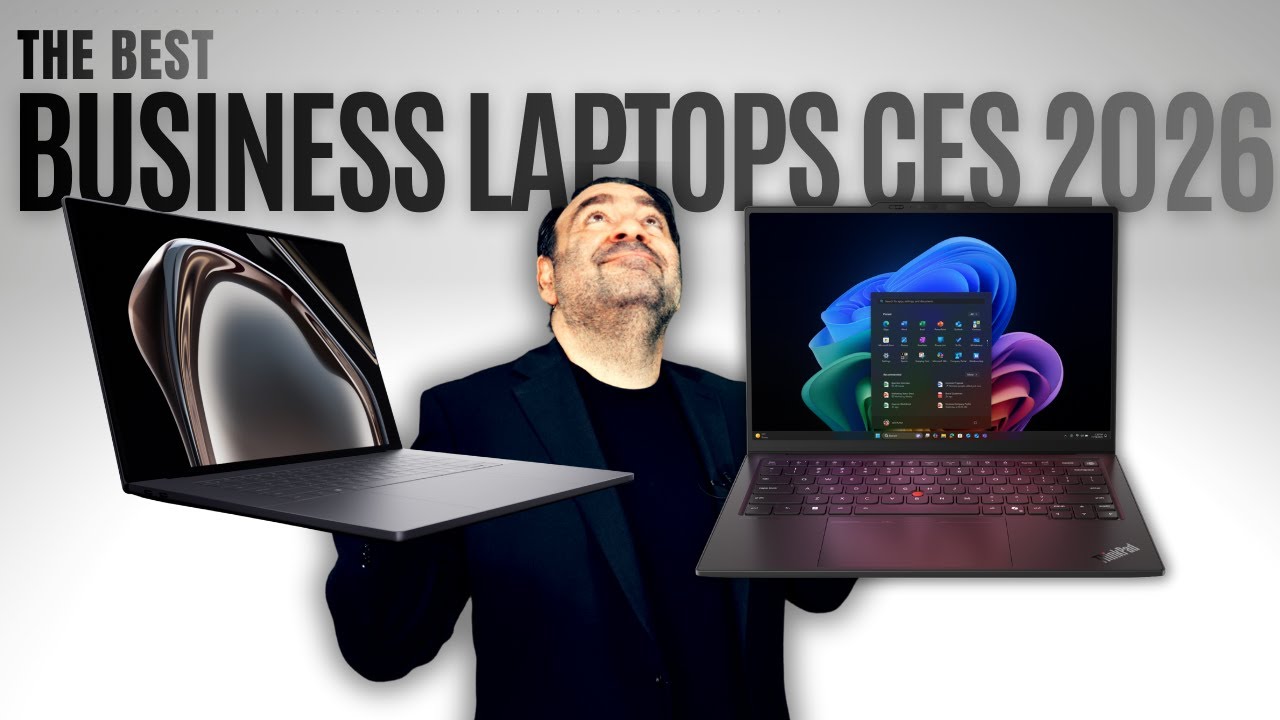
Key Factors to Consider When Choosing a Best Business Laptop
In today’s fast-paced business environment, performance is essential.
For example, a sluggish laptop can impact productivity and disrupt business operations.
1. Performance: The Engine of Productivity
Processor Power: The Heart of Any Laptop
First of all, the processor determines your laptop’s speed and efficiency.
The latest business-grade processors in March 2026 are Intel Core Ultra Series 2 (Lunar Lake/Arrow Lake) and AMD Ryzen AI 300 series, both delivering significant performance boosts over previous generations.
As a result, they enable smooth multitasking, seamless video conferencing, and quick data processing.
Moreover, multi-core processors are vital for tasks like running multiple applications or analysing large datasets.
In addition, dedicated NPU (Neural Processing Unit) cores — now standard across Intel Core Ultra Series 2 and AMD Ryzen AI 300 chips — handle AI-accelerated workloads locally, improving everything from real-time transcription to background blur in video calls, while keeping battery life strong.
Memory Matters: The Importance of RAM

Next, consider your laptop’s RAM, which functions as its short-term memory.
Without enough RAM, your system can lag, freeze, and cause frustration.
For example, 16 GB is now the practical minimum for any business use in 2026 — 8 GB is increasingly insufficient as modern operating systems, browsers, and AI features consume more memory by default. 32 GB is strongly recommended for multitasking, large datasets, or running local AI tools.
For power users, 32GB or more may be required.
Additionally, faster RAM speeds like DDR5 improve responsiveness and application performance.
Storage Solutions: Boosting Speed and Efficiency
Another important factor is your laptop’s storage type.
SSDs (Solid-State Drives) , compared to HDDs (Hard Disk Drives), offer faster boot times, better performance, and enhanced durability.
Furthermore, NVMe SSDs provide even quicker speeds, ideal for demanding applications or professionals handling large files.
At the same time, ensure enough storage capacity to meet your current and future needs.
Graphics Power: Enhancing Visual Performance
Finally, your laptop’s graphics capability is critical for specific tasks.
Integrated graphics are suitable for general use, but dedicated graphics cards offer better performance for demanding workloads. For professionals handling video editing, 3D modelling, or graphic design, NVIDIA GeForce RTX 40-series or AMD Radeon RX 7000-series mobile GPUs remain the go-to options in 2026, with RTX 50-series mobile cards beginning to appear in high-end configurations.
Moreover, a powerful graphics card enhances video conferencing, delivering smoother video calls and higher quality.
2. Portability & Durability: Essential for the Mobile Professional
In today’s dynamic business environment, mobility is key. Whether it’s frequent travel, working from different locations, or simply moving around the office, portability is a critical factor in laptop selection.
- Weight and Size: A Balancing Act
Firstly, lightweight and compact designs make travel easier and ensure comfortable use on the go. For instance, smaller laptops fit easily in bags, slip into briefcases, and work well in tight spaces. However, smaller screens may limit productivity for tasks that require more screen space, such as data analysis. Therefore, finding the right balance between portability and screen size is crucial. This balance should suit both individual work styles and specific preferences.
- Built to Last: Durability is Key
Secondly, durability becomes vital, as business laptops face everyday challenges. For example, accidental drops, bumps, and the stresses of travel can damage poorly constructed devices. Thus, robust materials like magnesium alloy or carbon fiber offer added durability. Additionally, features like reinforced hinges and spill-resistant keyboards help protect the laptop. itionally, for businesses in challenging environments, consider the impact of external factors like heat and dust. Likewise, humidity can also reduce performance and longevity over time.
- Uninterrupted Productivity: The Importance of Long Battery Life
Thirdly,long battery life ensures productivity without interruptions throughout the workday.This is especially true for mobile professionals who lack constant access to power outlets.Moreover, factors such as screen brightness, processor performance, and usage patterns influence battery life.Therefore, choose laptops with high battery capacity and fast-charging features to reduce downtime.In 2026, expect 12–18 hours of real-world battery from leading business ultrabooks — ARM-based machines like the Apple MacBook Air M5 consistently top these figures, while Intel Core Ultra Series 2 laptops have closed the gap significantly over previous generations. In addition, optional battery packs and docking stations can enhance portability. Docking stations, for instance, provide a stable workspace and simplify connectivity to peripherals.
3. Security: A Critical Line of Defense

In today’s increasingly interconnected world, cybersecurity is essential for every business.
Because of this, a data breach can lead to severe consequences, such as financial losses and legal issues.Therefore, security should always be a top priority when selecting a best business laptop.
- Hardware-Level Security: A Strong Foundation
Firstly, Firstly, hardware-level security features are vital in defending against cyber threats. For instance, tools like fingerprint readers, facial recognition, and iris scanners improve user authentication. As a result, they help prevent unauthorised access to sensitive business data. Additionally, discrete Trusted Platform Modules (TPM) chips are important for secure boot processes. TPM chips, in particular, provide cryptographic keys and protect sensitive data through secure storage. In 2026, look specifically for Microsoft Pluton security processors and Secured-core PC certification on Windows business laptops — these go beyond basic TPM 2.0 and provide firmware-level protection that is increasingly relevant as hardware-targeted attacks become more common.
Because of this, a data breach can lead to severe consequences, such as financial losses and legal issues.Therefore, security should always be a top priority when selecting a best business laptop.
- Software Security: A Multi-Layered Approach
Next, robust software security is equally important in mitigating cyber risks. For example, pre-installed tools like antivirus, anti-malware, and firewalls act as the first line of defence. Moreover, laptops must be compatible with enterprise-level solutions such as endpoint detection and response (EDR) systems. In addition, mobile device management (MDM) platforms are crucial for managing an entire fleet of devices. Regular software updates also play a key role in addressing vulnerabilities and ensuring ongoing protection. Furthermore, select laptops from manufacturers committed to security with regular updates and robust support. Microsoft Intune and Apple MDM (via Apple Business Manager) remain the leading fleet management platforms for Windows and macOS respectively in 2026, and both are well-supported by the laptops in this list.
- Compliance with Australian Cybersecurity Standards:
Finally, evaluating compliance with Australian cybersecurity standards is essential for all businesses. In 2026, this means aligning with the Australian Cyber Security Centre (ACSC) Essential Eight framework and, where applicable, the updated Security of Critical Infrastructure (SOCI) Act requirements. The Essential Eight — which includes application control, patching, and multi-factor authentication — provides a practical baseline that business laptop configurations should actively support.
4. Connectivity: Staying Connected in a Hyper-Connected World

In today’s interconnected business environment, seamless and reliable connectivity is paramount.
- Wi-Fi 7
- Firstly, Wi-Fi 7 (802.11be) is now the standard in premium and mid-range business laptops shipping in 2025–2026, offering multi-link operation, significantly higher throughput, and lower latency than Wi-Fi 6E. When evaluating laptops in 2026, Wi-Fi 7 should be an expected feature, not a premium add-on. As a result, it ensures smoother video calls, faster file sharing, and an overall better user experience.
- Bluetooth: Connecting the Ecosystem
- Secondly, Bluetooth is vital for pairing peripherals such as keyboards, headsets, and speakers. Bluetooth 5.4 is now common in 2026 business laptops, with some models beginning to ship with Bluetooth 6.0 — offering improved channel sounding for more precise device location and better coexistence with Wi-Fi 7.
- Ports: A Comprehensive Selection
- Thirdly, having the right ports is crucial for connecting various peripherals and displays. For example, USB-C/Thunderbolt 4 ports enable high-speed data transfers and fast charging. Moreover, consider other ports like HDMI for external displays, USB-A for older devices, and Ethernet for wired connections. Thunderbolt 5 is beginning to appear in high-end 2025–2026 laptops, doubling the bandwidth of Thunderbolt 4 to 120 Gbps — particularly relevant for connecting high-resolution external displays or fast external storage. For most small business users, Thunderbolt 4 remains the practical standard.
- Beyond Wi-Fi: Exploring Advanced Connectivity Options
- Finally, advanced connectivity features can enhance productivity in mobile environments. 5G is now a mainstream optional upgrade on most business-grade laptops from Lenovo, Dell, and HP in 2026 — no longer a niche feature. This is particularly useful for accessing high-speed internet while on the move. In addition, optional modules like 4G/5G modems, GPS, and NFC can cater to specific business needs.
5. Display: A Visual Experience
The display is a crucial aspect of any laptop, significantly impacting user experience and productivity.
- Screen Size: Finding the Right Balance
- First of all, the ideal screen size depends on individual needs and usage scenarios.
- For example, smaller screens (13-14 inches) offer excellent portability and are ideal for travel and those who prioritise compactness.
- In contrast, larger screens (15-16 inches) offer more space, making them suitable for multitasking or creative tasks like video editing.
- However, it’s important to weigh the trade-offs between screen size and portability. Larger screens, while beneficial for productivity, can add weight and reduce mobility.
- First of all, the ideal screen size depends on individual needs and usage scenarios.
- Resolution: Sharpness and Clarity
- Secondly, high resolution plays a significant role in improving productivity and providing clear visuals.
- Full HD (1920×1080) is now the minimum acceptable resolution in 2026 — most quality business laptops ship with 1920×1200 (16:10 aspect ratio) as standard, which provides meaningfully more vertical screen space for documents and web pages.Meanwhile, QHD (2560×1440) and 4K (3840×2160) offer significantly sharper visuals, making them ideal for tasks that require pixel-perfect accuracy, such as graphic design and video editing.
- Meanwhile, QHD (2560×1440) and higher-resolution panels offer significantly sharper visuals, ideal for tasks requiring precision. Moreover, high pixel density reduces eye strain and improves readability.
- Secondly, high resolution plays a significant role in improving productivity and providing clear visuals.
- Touchscreen: A Matter of Preference
- Thirdly, touchscreens offer enhanced interactivity, making them useful for tasks like design and presentations. However, they may also be prone to accidental touches, which could affect usability over time.
- Therefore, businesses should evaluate whether this feature aligns with employee needs and workflow preferences.
- Color Accuracy and Brightness: Essential for Professionals
- Lastly, accurate color reproduction is critical for professionals working in design, photography, or video editing. For example, displays with wide color gamuts and precise color calibration are highly recommended.In 2026, aim for a minimum of 400 nits brightness for indoor office use, and 500+ nits for staff who regularly work near windows or in bright environments. Many premium business laptops now offer 600–1000 nit panels with automatic brightness adaptation.
- Finally, anti-glare coatings can minimise reflections and improve visibility under various lighting conditions.
6. Budget: Balancing Value and Investment

Budget is a critical factor when choosing business laptops. While the upfront cost is important, the total cost of ownership (TCO) offers a more comprehensive perspective.
- Factors Influencing Cost:
- Undoubtedly, the cost of a business laptop is influenced by a variety of factors, including:
- Processor. Firstly, higher-end processors (e.g., Intel Core i7, i9, AMD Ryzen 7, 9) naturally increase the cost.
- RAM. Secondly, increasing RAM capacity significantly impacts the overall price.
- Storage. Thirdly, high-capacity SSDs, especially NVMe drives, are more expensive than lower-capacity drives and traditional HDDs.
- Display. Moreover, high-resolution displays (QHD, 4K), touchscreens, and high-quality panels with excellent color accuracy come at a premium.
- Brand. Additionally, premium brands like Apple, Dell (XPS line), and Lenovo (ThinkPad) generally command higher prices.
- Features. Lastly, advanced options, such as 5G connectivity, discrete GPUs, and enhanced security features, also drive up costs.
- Undoubtedly, the cost of a business laptop is influenced by a variety of factors, including:
- Price Ranges:
- Budget (~$800–$1,200 AUD): Entry-level business machines suitable for basic office tasks — email, documents, web. The ThinkPad L14 Gen 5 sits at the upper end of this range and punches well above it in build quality.
- Mid-range (~$1,200–$2,500 AUD): The sweet spot for most small businesses — covers the MacBook Air M5, Asus ExpertBook P5, and Dell Latitude 5550. Strong performance, business security, and good support options.
- Premium (~$2,500 AUD and above): Top-tier build quality, maximum configurability, and the strongest fleet management and support ecosystems. The ThinkPad X1 Carbon Gen 13 and Dell Latitude 7450 at higher configurations sit here.
- Beyond the Purchase Price: Total Cost of Ownership (TCO)
- Additionally, TCO includes factors beyond the initial purchase price, such as warranty costs, repair expenses, upgrade potential, and IT support overhead. In the Australian small business context, factor in the cost of accidental damage protection — both Dell ProSupport Plus and Lenovo Premier Support include on-site service options that are widely available in Brisbane and major cities, and can significantly reduce unplanned repair costs over a 3–4 year refresh cycle.
- Exploring Alternative Procurement Models
- Finally, alternative models like Device-as-a-Service (DaaS) can offer unique benefits. For instance, DaaS provides subscription-based services, covering device procurement, management, and maintenance. Furthermore, it simplifies IT management, reduces upfront costs, and ensures access to the latest technology through regular upgrades. In Australia, DaaS options have matured considerably by 2026, with Lenovo, Dell, and HP all offering local DaaS programmes — worth evaluating for businesses deploying five or more devices.
Best Business Laptops in Australia (2026)
This is a dynamic market, and the best business laptop will evolve over time. However, based on current trends and industry expertise, here are a few top contenders for Australian businesses in 2026:
Lenovo ThinkPad X1 Carbon
Best all‑round Windows business ultrabook
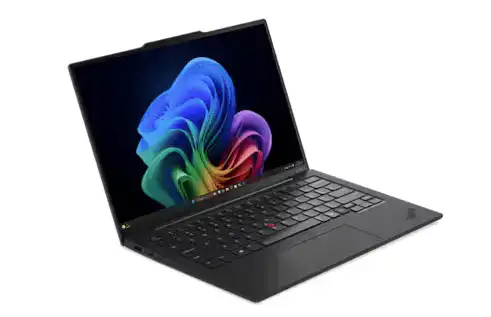
Strengths: A masterclass in balance — sub-1 kg weight, legendary ThinkPad keyboard, Intel Core Ultra vPro security, and 10–12+ hours of real-world battery. Additionally, its MIL-SPEC “Space Frame” chassis is built to survive years of daily use with minimal fuss.
Weaknesses: However, the premium price point (from $2,400 AUD) puts it out of reach for tight budgets, and it lacks a dedicated numpad for heavy data entry work.
Target Audience: Business owners, managers, and consultants who travel frequently and want a premium Windows machine that will last several refresh cycles.
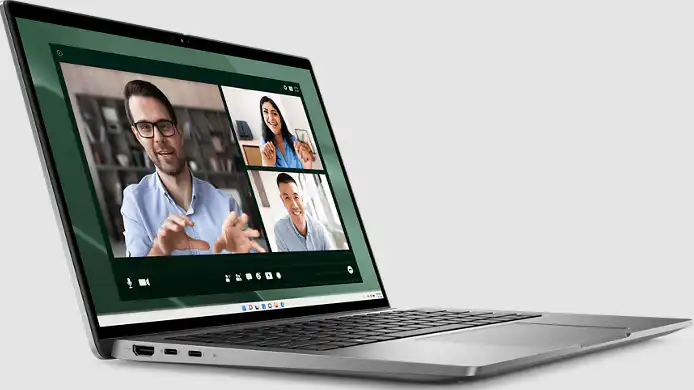
Dell Latitude 7450
Best for managed Windows fleets
Strengths: A true corporate-grade platform with Intel vPro, smartcard reader, IR camera, optional LTE/5G, and strong BIOS/firmware manageability. In addition, Dell ProSupport with on-site service is widely available across Australia — a significant advantage over consumer lines.
Weaknesses: On the downside, its value proposition is strongest at fleet scale; for a single-user purchase it can feel expensive relative to what you get day-to-day.
Target Audience: Small businesses deploying a consistent Windows fleet for multiple staff, particularly where remote management and on-site support matter.
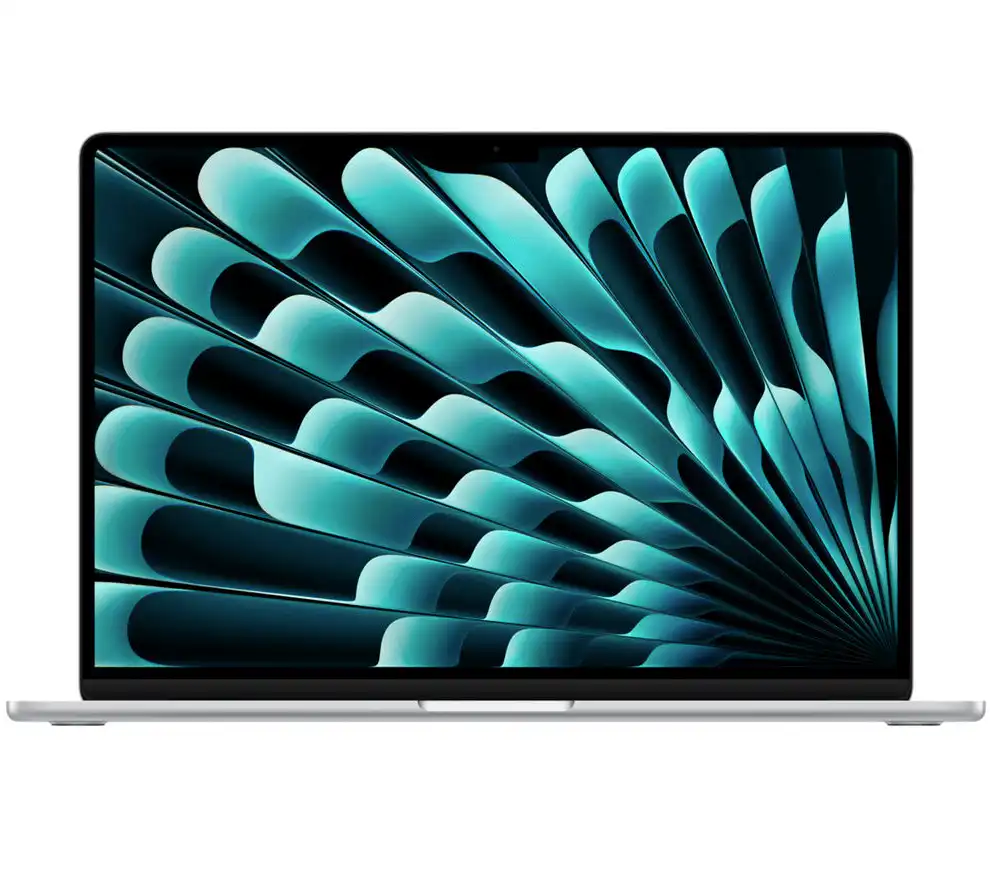
Apple MacBook Air M5 (13″ and 15″)
Best for battery life and simplicity
Strengths: Fanless, completely silent operation with up to 18 hours of real-world battery, Wi-Fi 7, dual external display support, and the brand-new M5 chip launched in Australia in March 2026. Moreover, macOS delivers extremely low software friction and consistently high owner satisfaction.
Weaknesses: Nevertheless, macOS limits compatibility with some Windows-only line-of-business software, and deep fleet management tools are less mature than on the Windows side.
Target Audience: Small teams that live primarily in browser-based tools, Microsoft 365, or Google Workspace, and who value simplicity, reliability, and outstanding battery life over IT manageability.
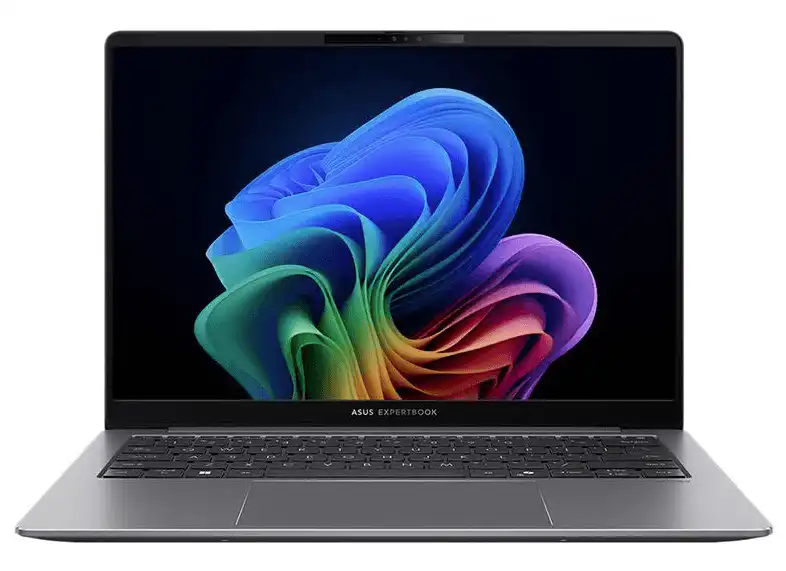
Asus ExpertBook P5 (Lunar Lake)
Best modern AI‑aware business ultrabook
Strengths: A modern AI-ready business ultrabook with a MIL-STD-810H chassis, Intel Core Ultra Series 2 NPU (47 TOPS), 32 GB RAM options, a 2.5K 144Hz display, and proper business security — not a rebranded consumer machine. Additionally, it comes with a 3-year warranty including one year of Accidental Damage Protection.
Weaknesses: However, the AI acceleration features — while genuinely useful — are still niche for many everyday small business workflows, meaning some buyers may not fully utilise what they are paying for.
Target Audience: Mobile professionals and hybrid workers who want a lightweight, future-ready Windows ultrabook with AI capabilities and real business credentials.
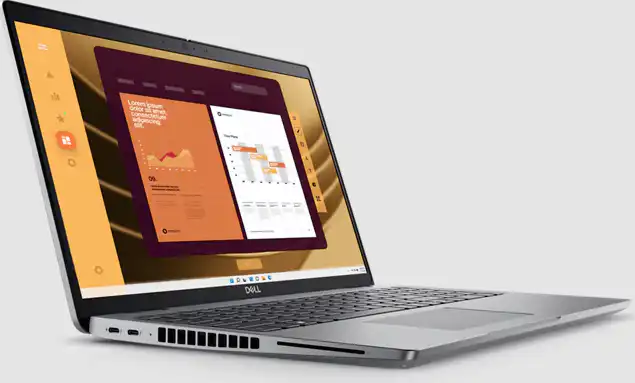
Dell Latitude 5550
Best 15.6″ office workhorse
Strengths: An excellent desk-focused machine with a PWM-free 15.6″ IPS display, full-size keyboard with numpad, near-silent cooling, Thunderbolt 4, and optional IR camera and fingerprint reader. Furthermore, Dell ProSupport on-site service is available in Brisbane and across Australia.
Weaknesses: On the downside, its larger footprint and heavier chassis make it less suited to staff who move between locations regularly.
Target Audience: Desk-based staff in admin, operations, or accounting roles who need a bigger screen, a comfortable keyboard, and a machine clearly built for business — not repurposed from a consumer multimedia line.
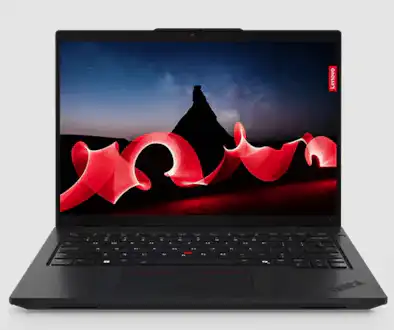
Lenovo ThinkPad L14 Gen 5
Cost‑effective 14″ business all‑rounder
Strengths: The sweet spot between budget and premium — MIL-grade durability, spill-resistant keyboard, and enterprise security features at a significantly lower price than the X1 Carbon or T-series. Additionally, Intel Core Ultra (Meteor Lake) CPUs with built-in NPUs bring AI-assisted productivity to an affordable business machine, while an excellent port selection — multiple USB-A, Ethernet, and more — makes it genuinely plug-and-play in any office environment. Reviews describe the experience as a “dream come true for the modern-day business employee.”
Weaknesses: However, it is heavier and thicker than premium ultrabooks like the X1 Carbon, and the display and chassis materials reflect the lower price tier — functional and durable, but not luxurious.
Target Audience: Small businesses looking to equip staff with a reliable, comfortable 14-inch Windows laptop without the X1 Carbon price tag — particularly well-suited as a value fleet machine where consistent build quality, security, and repairability matter more than thinness or prestige.
Emerging Trends in Best Business Laptops:
- Foldable Laptops. Firstly, more foldable laptops are entering the market. These offer unique form factors and increased versatility.
- AI-Powered Features. Secondly, AI integration is becoming more common. For example, features like AI noise cancellation improve video calls. Additionally, AI-powered assistants enhance productivity. Furthermore, AI-driven security measures are increasing.
- Sustainability Initiatives. Thirdly, manufacturers are focusing more on sustainability. This includes using recycled materials, reducing packaging, and creating energy-efficient components.
Supporting Local Businesses:
- While these efforts are not as widespread as in other regions, some initiatives exist in Australia. Some companies are working to manufacture or assemble laptops locally.
- Consider supporting these initiatives. This helps reduce environmental impact and stimulates the local economy.
Conclusion
Selecting the best business laptop is crucial. In fact, it has a significant impact on employee productivity, business efficiency, and overall success.
Key Considerations:
- Performance: Processor power, RAM, storage, and graphics capabilities.
- Portability & Durability: Weight, size, build quality, battery life, and accessories.
- Security: Hardware-level security, software protection, regular updates, and compliance with Australian standards.
- Connectivity: Fast Wi-Fi, Bluetooth, and a variety of ports.
- Display: Size, resolution, color accuracy, and touchscreen options.
- Budget: Total cost of ownership, including purchase, warranty, repairs, and potential upgrades. Consider options like DaaS.
Investing in Quality Technology
Investing in high-quality business laptops is more than just an expense; in fact, it’s an investment in your business’s future. Moreover, the right laptops boost employee productivity, satisfaction, and business growth.
Need Assistance?
Netcomp is a professional Australian IT services provider located in Brisbane. If you are struggling with choosing the best business laptop suitable for your company needs, we are more than happy to help. We can assist with laptop selection, deployment, and ongoing support, ensuring your technology effectively supports your business goals. We also offer a range of other IT services, including cybersecurity solutions, to help protect your business from cyber threats.
Disclaimer
The information provided in this article is for general guidance only and should not be considered financial or professional advice. Individual business needs may vary significantly, and the best laptop choice for one business may not be suitable for another. Netcomp is not affiliated with any of the laptop manufacturers mentioned in this article, and all opinions expressed are our own independent assessments. It is essential to conduct thorough research and consider your specific business requirements before making a purchasing decision.